> For the complete documentation index, see [llms.txt](https://docs.unicidades.com.br/llms.txt). Markdown versions of documentation pages are available by appending `.md` to page URLs; this page is available as [Markdown](https://docs.unicidades.com.br/perguntas-frequentes/aplicativo-cadu-digital/minha-conta-do-app.md).
# Minha conta do APP
Acessando os dados da sua conta do aplicativo CADU
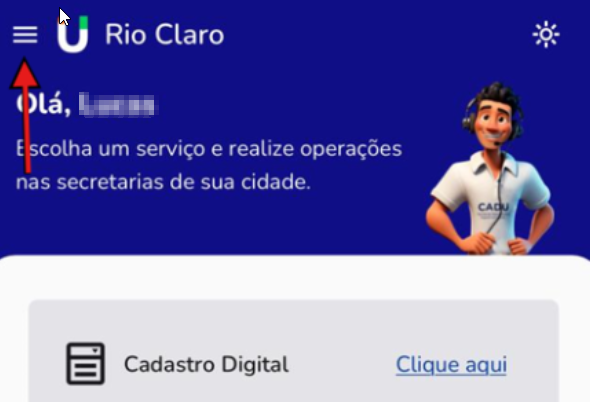
No canto superior esquerdo do app é possível acessar os dados da sua conta criada bem como outros serviços disponíveis no aplicativo.
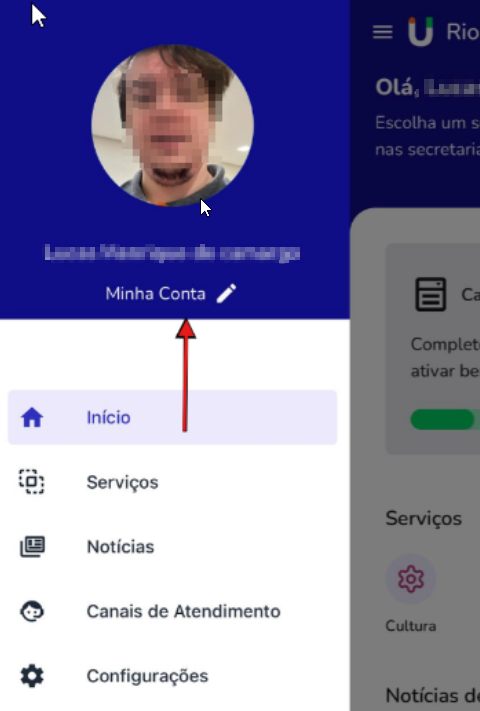
Será exibido o menu lateral, com várias opções.\
Para acessar as informações da conta, selecionaria \[Minha conta]
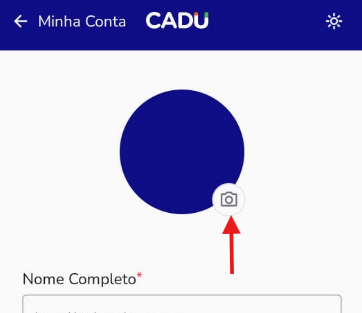
Em minha conta você poderá ter acesso a sua foto enviada no momento da criação de sua conta. No qual pode ser alterada quando desejar.
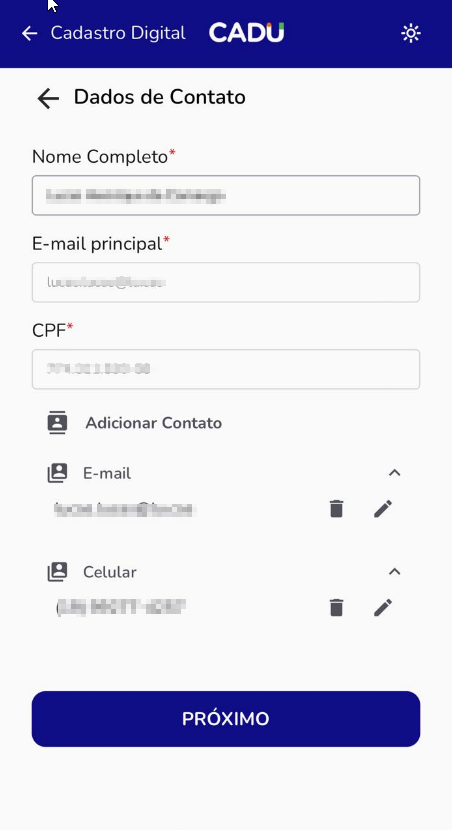
Nesta tela, é possível editar os contatos na \[caneta] e excluir nos ícones de \[lixeira]:
**Fique atento.** É obrigatório estar cadastrado o contato de ao menos: \
-> 1 telefone ou celular\
-> 1 endereço de e-mail